How to read intake answers before the visit?
"I keep track of patient data in multiple different spreadsheets and would like to combine"- Google Docs Editors Community
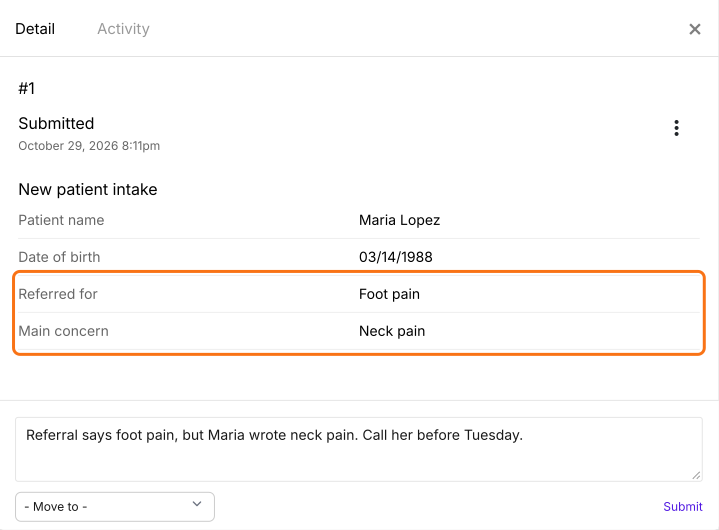
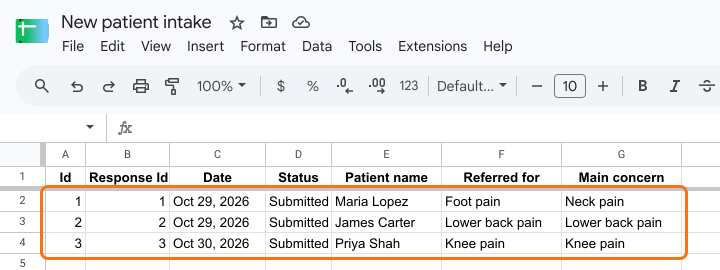
Small practices that keep patient data in several Google Sheets often find a problem only when the patient is in the room, such as a referral for foot pain from someone who wrote neck pain. Hunting through tabs before each visit takes time, so it doesn't happen. With Formesign, each patient's signed intake has its own card, where your team reads the answers and leaves a comment days ahead. Every patient is also a row in one table, which you can link to a single Google Sheet.
Let's start. Create your form in Google Forms, then import it and follow the steps below.
1. Import your intake form
- Publish your Google Form first or make one at form.new with a patient's name question and click Publish.
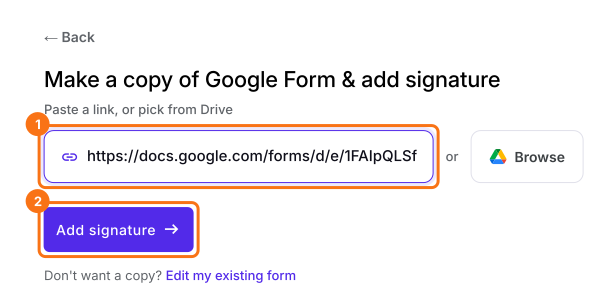
- Click on Import your Google Form, click Import your Google Forms, paste its link (the form's address in your browser works) and click Add signature. Keep Simple signature and click Next.
- Choose the question it goes after and click Next.
- On Your signing link is ready, click Edit form.
- Click SHARE and send your patients the link.
2. Find the patient's card
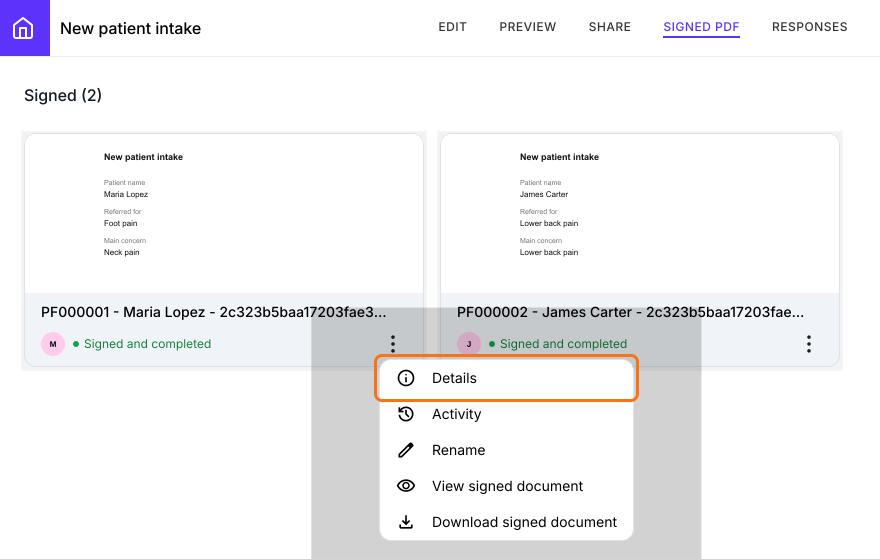
Click SIGNED PDF, where each card is one patient who has signed. Click the three dots on the card and choose Details.
3. Read the answers and catch problems
Check the answers against the referral while there's time to fix it. Type a note under Comments and click Submit so your team sees it.
4. See every patient in one table
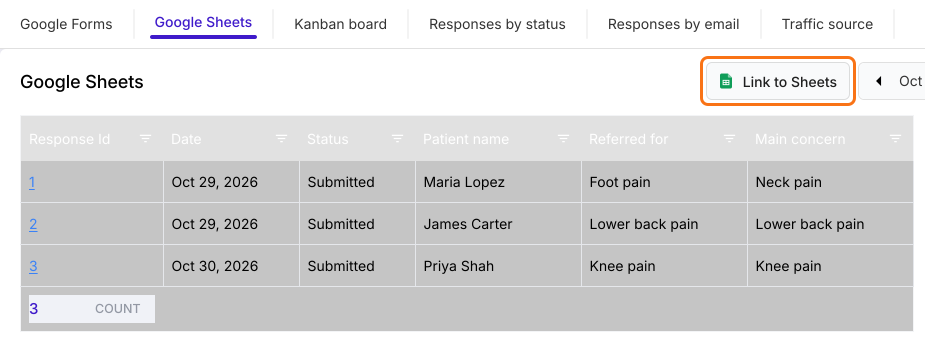
Click RESPONSES, then Google Sheets. Every patient is a row. To get a real Google Sheet, click Link to Sheets, click Proceed and click View sheets.
5. Keep one master sheet
The Sheet has every patient's answers on its Responses tab. New answers get added to it, so your team looks in one place.
Summary
When intake answers are spread across several spreadsheets, nobody reads them until the visit. With Formesign, every response lands in one place, with a card per person to read and comment on and one Sheet for all of them. Create your form in Google Forms, then import it and complete the steps above. If you have any questions, write to support.
Last updated: