線性刻度
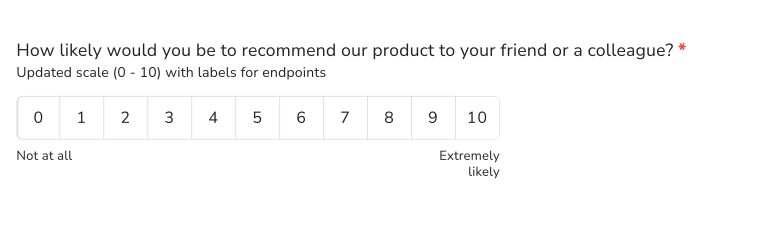
請大家用自己的話為產品評分,您會收到「很好」、「還行」和「5 分給 4 分」這類答案,根本無法比較。線性刻度問題請大家在您設定的刻度上給一個數字,兩端各有標籤,例如 1 到 5,從 Extremely dissatisfied 到 Extremely satisfied。在 Formfacade 中,您從 Edit 分頁新增它,同一個問題設成 0 到 10,就是標準的 NPS 問題。
建立您的表單,並依照下列步驟操作。
如何新增線性刻度問題?
- 點選建立您的表單,為表單命名,點選 Build form,再點選 Proceed。
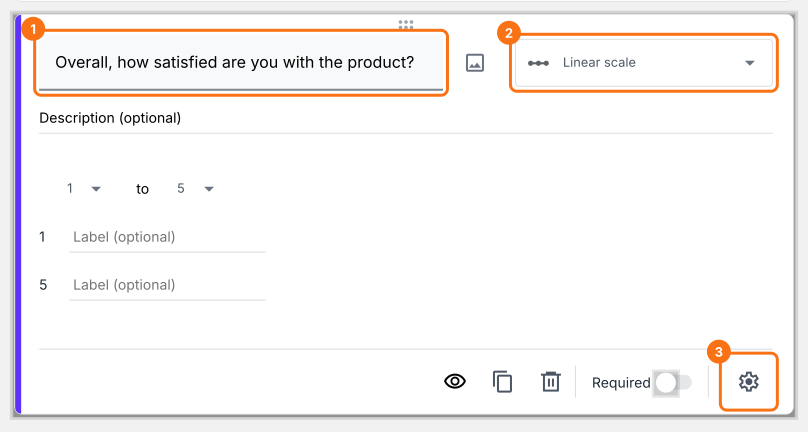
- 點選「Edit」分頁

- 點選右側工具列中的 + 圖示 (Add field),然後輸入您的問題
- 在問題類型清單中選取 Linear scale
- 如有需要,更新刻度 & 為刻度兩端加上標籤
- 如下所示啟用 Required 切換按鈕,將這題設為必填
使用者看到的畫面
線性刻度問題讓使用者以數字回答某個敘述或問題。您可以為刻度兩端命名,給使用者一個參考。您可以建立從 0 或 1 開始、到 2 至 10 之間任一整數結束的線性刻度,並為兩端加上標籤。
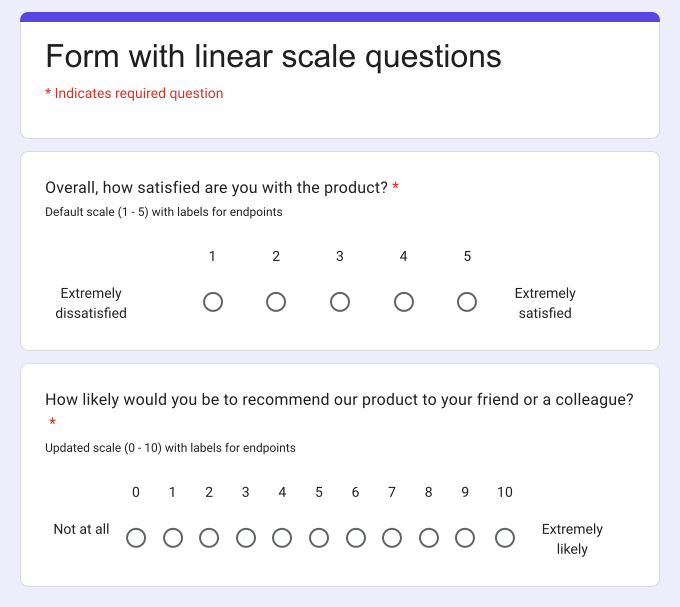
線性刻度問題通常用於滿意度、推薦可能性、對服務或功能的意見等相關問題。例如,您可以用線性刻度問題請使用者以 1 到 5 為訂購體驗評分,或詢問標準的 NPS 問題,讓他們以 0 到 10 評分等。
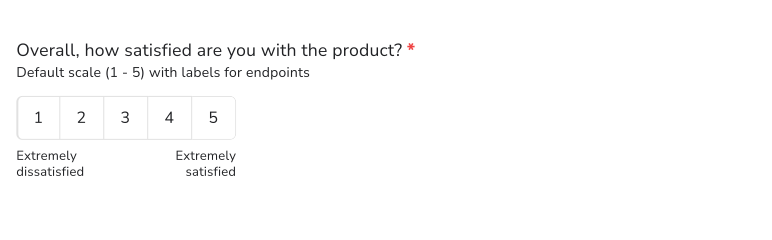
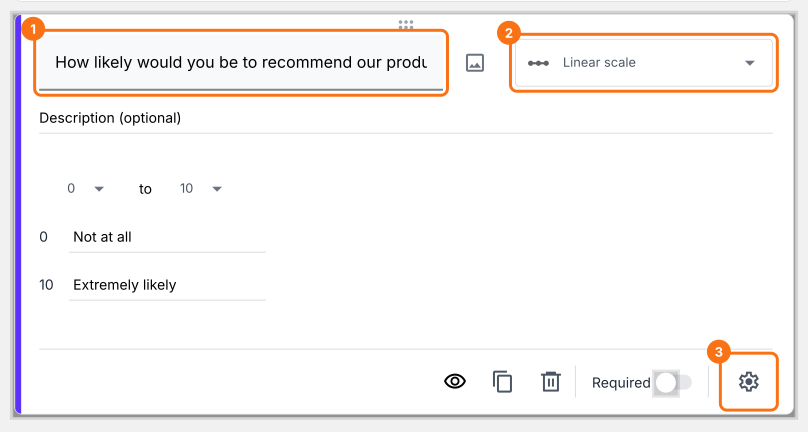
如何建立 NPS 問卷問題?
- 點選右側工具列中的 + 圖示 (Add field)
- 在問題類型清單中選取 Linear scale
- 把刻度更新為從 0 開始、到 10 結束
- 為刻度兩端加上標籤
- 如下所示啟用 Required 切換按鈕,將這題設為必填
摘要
如果您想請使用者用量表為某件事評分,文字回答很難比較。使用 Formfacade 的線性刻度問題,使用者從您設定的刻度中選一個數字,您也可以為刻度兩端命名。建立您的表單,然後完成上述步驟。
最後更新: